
Prepare for a clearer healthcare appointment.
Organize your symptoms, priorities, medications and questions into a concise summary you can print or take with you.
Step 1 of 6 · Purpose
How it works
No diagnosis. No account. One page you can actually use.
Step 1: Say why you are going
Up to three things you want help with.
Step 2: Add what has been happening
When it started, how often, and how much it affects you.
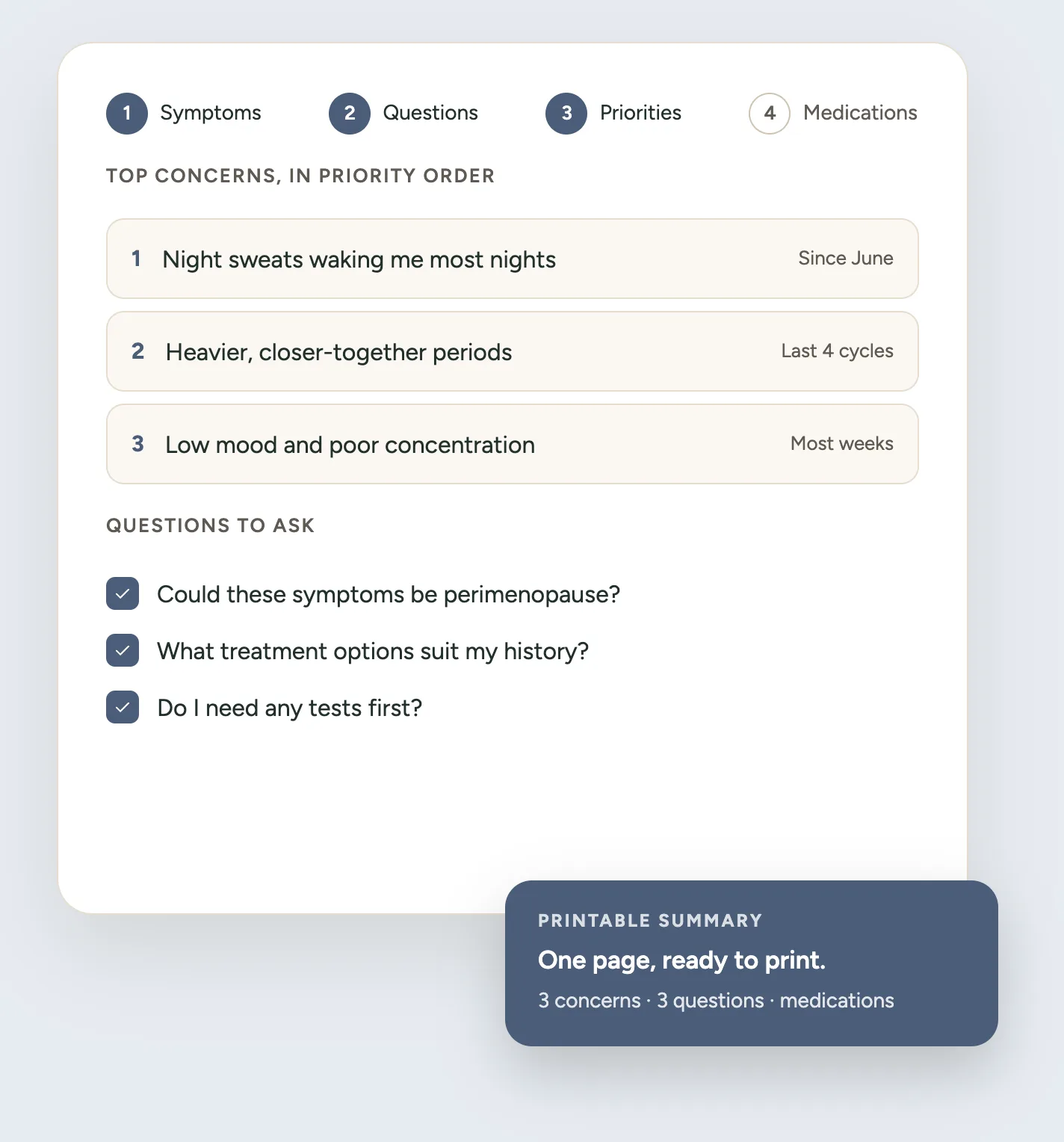
Step 3: Choose your top three
Appointments are short. This is what makes the difference.
Step 4: Print your summary
One or two pages, with space for notes on the day.
Your information stays with you
Everything you enter lives on this page while you use it. Simply using the tool sends nothing anywhere, nothing is put in the web address, and no symptom, medication or piece of history ever reaches analytics — the only thing recorded is that the tool was used.
Because this takes about ten minutes, you can choose to save it in this browser so you can come back. That is an explicit choice, it stays on this device, and you can clear it at any time from the panel beside the builder. If you do not choose to save, closing the tab is the end of it.
Two things are deliberate exceptions, and both are your choice. Printing or copying the summary asks for an email address once per browser — we record the address and which tool it came from, never what you recorded in it. And signing in lets you save your appointment to your account, which is the one thing that puts it on a Midlife Atlas server. Both are optional, and saving on this device needs neither.
Questions about the Appointment Builder
Does this tool diagnose menopause?
No. It organises what you want to raise. It does not decide what is happening to you or what is causing it.
Do I need an account?
No. The tool works fully without one, and saving on your own device needs no account either. Signing in is optional, and only adds the ability to keep your appointment against your account so it is there on another device.
Where is my information stored?
In your own browser, on this device, and only if you choose to save it. Nothing is sent to a Midlife Atlas server unless you sign in and choose “Save to my account”, which is the one thing that puts it on a server. Nothing is ever added to the web address, and no appointment detail reaches analytics. Printing or copying asks for an email address once — the address and which tool it came from, never what you recorded.
Can I print the summary?
Yes. It is designed to print onto one or two pages on A4 or US Letter, with space at the end for notes from the appointment itself. You can also copy it as plain text.
Should I include every symptom?
No. Focus on what matters most — that is why the tool asks you to choose up to three priorities.
Can I add my medications?
Yes. A name on its own is enough; dose and frequency are optional, because many people will not know the exact details.
Does Midlife Atlas check medication interactions?
No. The medication section is a record for your appointment and nothing more. Never stop or change prescribed medication based on this tool.
Can this tell me what treatment I need?
No. It helps you organise questions about treatment to discuss with a healthcare professional.
Can I use it for appointments unrelated to menopause?
Potentially, though it is designed around women’s midlife health, so the suggested questions and prompts are shaped by that.