
Track how your periods are changing.
Record cycle timing, flow, spotting and selected symptoms so you can see what has changed over time and prepare a clearer healthcare conversation.
FIRST-TIME SETUP · 3 SHORT STEPS, ALL OPTIONAL BEYOND DATES
Let’s set up your tracker
How it works
Step 1: Record the first day of menstrual flow
Spotting is logged separately and never counts as day 1.
Step 2: Add flow, spotting or symptoms when useful
Every field beyond the dates is optional.
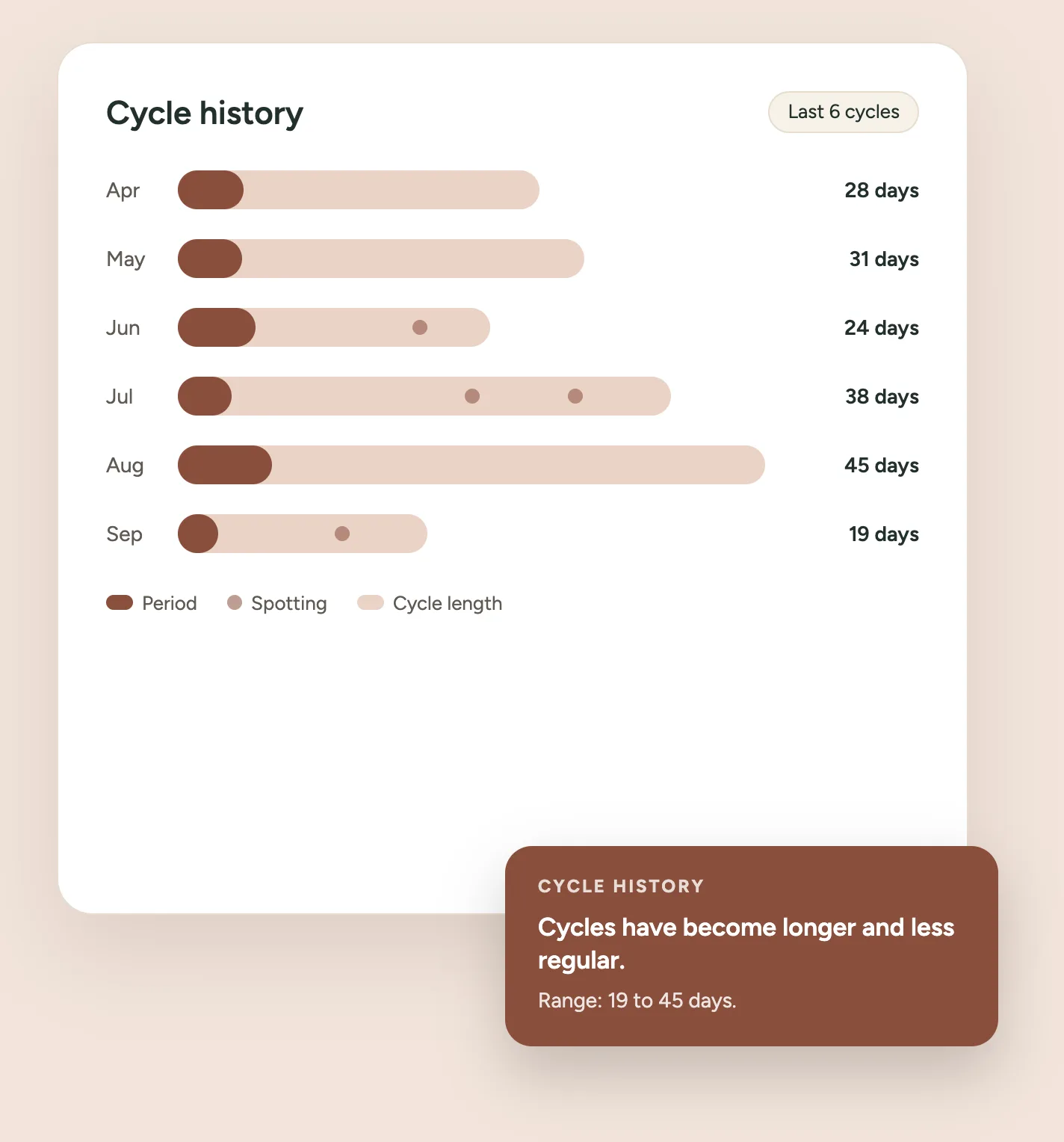
Step 3: See your recorded cycle history
Cycle lengths, bleed durations and descriptive patterns.
Step 4: Create a concise appointment summary
A clear printable page for your healthcare conversation.
What happens to what you record
Dates of bleeding, flow, pain and symptoms are about as private as health data gets. Here is exactly where each piece of it goes.
No account
Nothing to sign up for, and no email address.
Nothing is sent anywhere
There is no server call behind this tool. Your entries are not submitted, and never appear in the web address.
Analytics sees none of it
We count that the tracker was opened and that a summary was printed — never a date, a flow level or a symptom.
Saving is your choice
Off unless you pick “Save on this device”. Then it lives in this browser only, under midlifeatlas:period-change-tracker:v1.
Deletion is immediate
One button on the Privacy screen removes everything. No hidden copies, because there is nowhere else for it to be.
Downloads carry it with them
A printed sheet or CSV holds private health information wherever you save or send it.
Related tools
Questions about the Period Change Tracker
Does this tell me whether I am in perimenopause?
No. It records what you observe and describes it back. Cycle and bleeding changes have many possible explanations, and working out which one applies to you is a clinical judgement, not something a tracker can do.
Does it predict my next period?
No, and that is deliberate. Cycles that are changing are exactly the ones a prediction would get wrong, and a wrong prediction is worse than none.
Is this a fertility or ovulation tracker?
No. It does not identify a fertile window, estimate ovulation or say anything about the chance of pregnancy.
Do I need an account?
No. There is nothing to sign up for and nothing to sign in to.
Where is my data stored?
In this browser only, and only if you choose “Save on this device”. Nothing is sent to a server, put in the web address, or shared with analytics. You can delete everything from the Privacy screen at any time.
What counts as day 1?
The first day of menstrual flow. Spotting is recorded separately and never starts a cycle — that one rule keeps cycle lengths comparable over time.
Can I add periods from before I started using this?
Yes. Under History you can add a period you remember, and the cycle lengths around it are recalculated.
What if my periods have stopped, or I have had a hysterectomy?
You will see a note suggesting the Symptom Tracker, which is built around symptoms rather than cycles. You can still record bleeding or spotting here if you have a reason to.
Can I take this to an appointment?
That is what the Summary screen is for: a short printable page of what you recorded, plus questions you have picked to ask. You can also export a CSV.
Is this medical advice?
No. It is a record of your own observations, organised for a conversation with a healthcare professional.