
Track hot flashes and night sweats as they happen.
Log timing, duration, intensity and optional context in seconds, then review patterns you can take to a healthcare appointment.
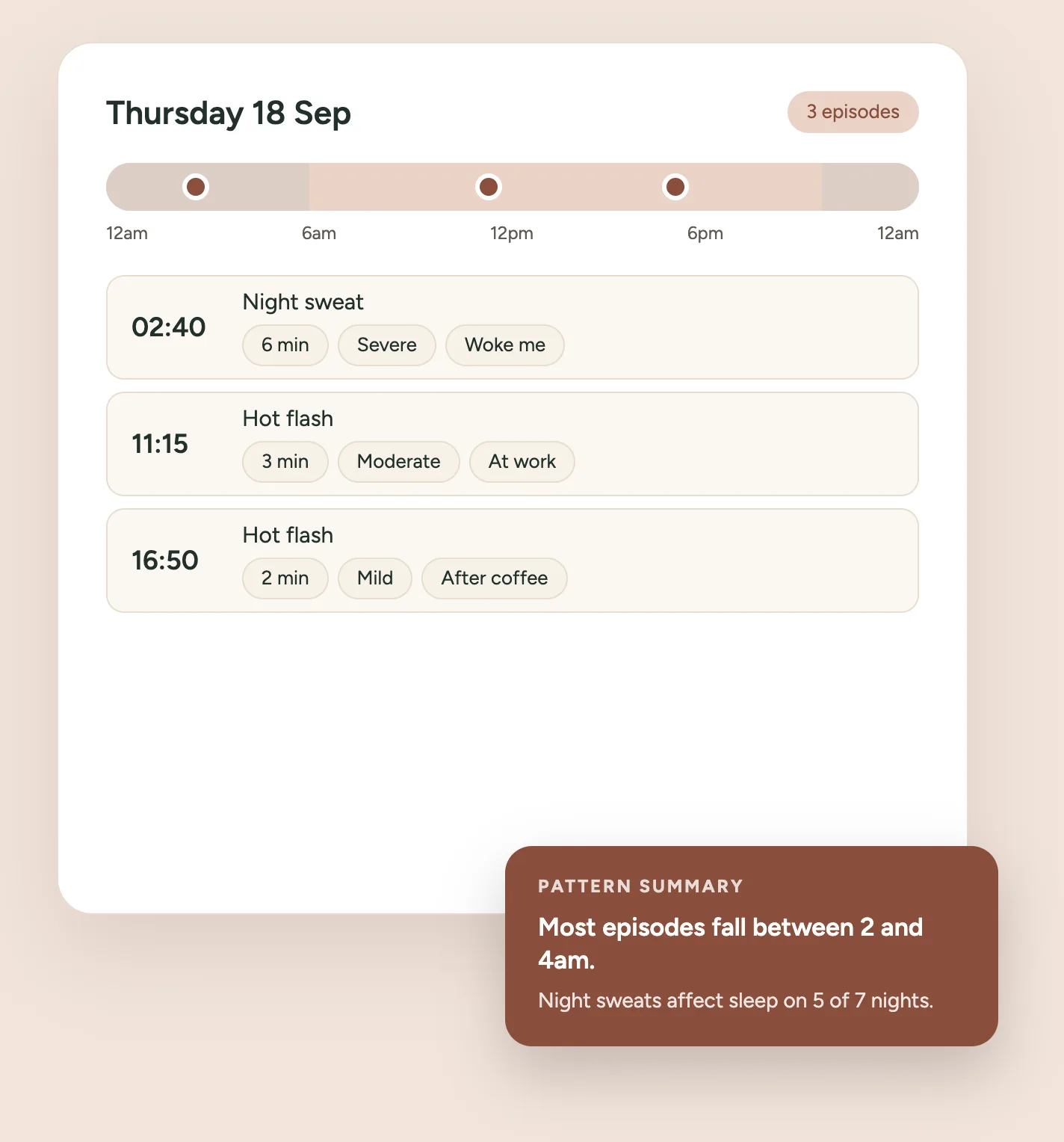
Welcome to your Hot Flash & Night Sweat Diary
Record an episode when it happens, or add one you remember from earlier today. A first entry takes about thirty seconds — everything beyond type, time and intensity is optional.
This diary helps you record patterns in what you experience. It cannot determine why an episode happened or whether it was related to menopause.
How it works
Log in seconds. Review when it is useful. Print it for an appointment.
Step 1: Log an episode
What happened, when, and how intense it felt. Three taps and a button.
Step 2: Add detail if useful
Duration, sleep impact and context are optional, every time.
Step 3: See what you recorded
Timing, intensity and the contexts you noted, over a range you choose.
Step 4: Take it to an appointment
A summary you can print, save as a PDF, or copy as text.
When to get medical advice
Hot flashes and sweating have causes unrelated to the menopause transition. It is worth speaking to a healthcare professional if you notice any of the following, rather than recording them here and waiting:
- New, unexplained drenching sweats
- A fever, or feeling significantly unwell
- Unexplained weight loss
- Chest pain
- Fainting, or repeated episodes of feeling faint
- Heart palpitations that are new, frequent or concerning
- Anything that is new, severe or unusual for you
If you need urgent care, contact your local emergency service — emergency numbers differ by country.
Your diary stays with you
Entries live in this page while you use it. Simply using the diary sends nothing anywhere, nothing is put in the web address, and no episode, time, intensity, context or note ever reaches analytics — the only thing recorded is that the tool was used.
Because a diary is only useful across weeks, you can choose to save it in this browser. That is an explicit choice, it stays on this device, and you can clear it at any time from the Privacy tab. If you choose not to save, the diary lasts for the session and no more.
Two things are deliberate exceptions, and both are your choice. Printing or copying the summary asks for an email address once per browser — we record the address and which tool it came from, never what you recorded in it. And signing in lets you save your diary to your account, which is the one thing that puts it on a Midlife Atlas server. Both are optional, and saving on this device needs neither.
Questions about the diary
What should I record?
Record an episode when it is useful to you. Type, time and intensity are enough for a basic entry — everything else is optional.
Do I need to log every hot flash?
No. The diary is most useful when your records are reasonably consistent, but incomplete tracking can still help. A gap means nothing was recorded, not that nothing happened.
Can this identify my triggers?
No. It can show the contexts you recorded alongside episodes — stress, alcohol, a warm room — but recording two things together does not prove one caused the other. Only you and a healthcare professional can weigh that up.
Does this diagnose menopause?
No. It records what you enter and describes it back to you.
Do I need an account?
No. The tool works fully without one, and saving on your own device needs no account either. Signing in is optional, and only adds the ability to keep your diary against your account so it is there on another device.
Where is my diary stored?
In your own browser, on this device, and only if you choose to save it. Nothing is sent to a Midlife Atlas server unless you sign in and choose “Save to my account”, which is the one thing that puts it on a server. Nothing is ever added to the web address, and no diary detail reaches analytics. Printing or copying asks for an email address once — the address and which tool it came from, never what you recorded.
Can I add an episode later?
Yes. You can set the date and time, including the night before, and say if the time is approximate or not known.
Can I edit an entry?
Yes. Every field can be corrected, and changing the time re-sorts your history and updates the summaries.
Can I print a summary?
Yes. Choose a date range on the Summary tab and print it, or save it as a PDF. It is designed for A4 and US Letter.
Can I share the summary with my clinician?
You can print it, save it as a PDF, or copy it as plain text and share it however you choose. Midlife Atlas never sends it anywhere.
Is this medical advice?
No. It is a record of what you entered, for you to use as you see fit.